


FloodGates - Installation and License Activation
Download FloodGates from http://www.floodgates.co.in/getstarted.htmlCopy the downloaded setup file to a known location (e.g. d:\).
You need to have administrator privileges on the system to install FloodGates.
You need to be running Microsoft Windows XP or above.
The machine must have a minimum of 3GB memory and 10GB of free hard disk space.
Double click on the setup file and follow the instructions.
Once the tool is successfully installed, you can start using the tool.
To record and run one user, you need not get or activate license. When you need to run multiple users, you need license.
To get a license, Start FloodGates tool, go to Help--Manage License menu.
It will initially show "No License". Click on Get License.
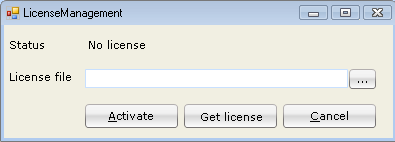
You have to provide a few details in order to get the license or trial license.
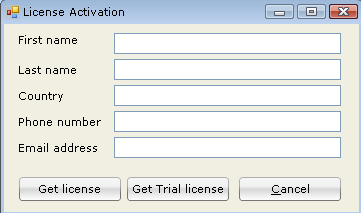
Click on get license or get trial license.
An email will be sent to the email id provided in the details.

In the email received, there will be an approve URL. Click on that to ensure that you are the intended person to get license.
Once this is successfully done, you will receive one more email with the license file as an attachment.
Save that license file attachment to a known location.
From the license management dialog box, click on Browse and select the license file that you received.
Click on Activate.
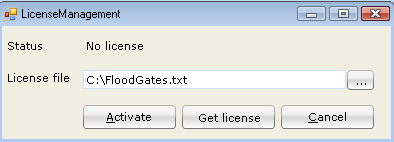
Wait for a minute or so, and your license will be activated.
Congratulations and welcome to FoodGates.
Enjoy load testing.